Android
- Minimum OS: Android 5.0 or higher
- Browser: Chrome (recommended for best performance)
- Installation: Add to Home Screen via browser menu for PWA shortcut
App at Wyns Casino: Mobile Version Explained
The full Wyns Casino experience on your phone - 7,000+ games, live dealer tables, sports betting, and Interac payments - no download required. Works on Android 5.0+ and iOS via Safari.
How to Get Started on Mobile
Staying Secure on Mobile
What You Should Do
What You Should Avoid
Wyns Casino in Your Pocket
The full Wyns Casino experience on your phone - 7,000+ games, live dealer tables, sports betting, and Interac payments - no download required. Works on Android 5.0+ and iOS via Safari.
Play on Mobile Play responsibly - gambling involves risk of dependency. Must meet the legal age in your province. Bonus terms and conditions apply.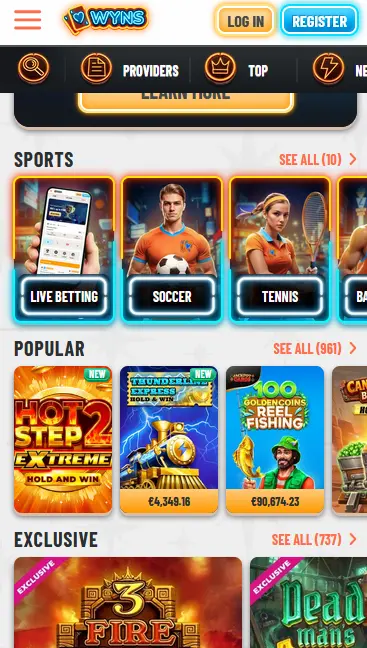
Compatibility at a Glance
Android
iOS
Wyns Casino Mobile
Pros
Cons
Mobile Platform Highlights
PWA - No Download Needed
Wyns Casino runs as a Progressive Web App directly in your mobile browser. Add it to your home screen in under a minute for instant full-screen access.
Sub-Second Game Loading
The mobile platform is optimised for fast loading on any connection. Slots from Pragmatic Play, Evolution Gaming live tables, and the sportsbook all open without delay.
Encrypted on Every Device
256-bit SSL encryption covers every session on Android and iOS alike, and two-factor authentication is available across all devices to protect your account.
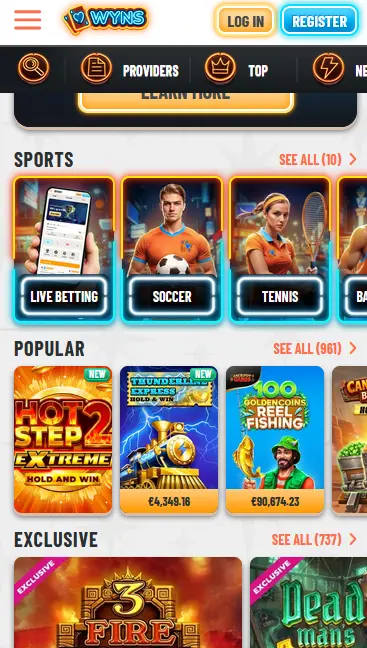
Wyns Casino’s mobile platform is a Progressive Web App, meaning the entire casino experience loads through your phone’s browser rather than a dedicated native application. This approach delivers the complete feature set - games, live betting, payments, bonuses, account settings, and support - within a single interface that requires no storage allocation beyond a browser cache. The layout adapts to every screen size, from compact smartphones to larger tablets, and touch controls are calibrated for accurate reel spinning and bet placement.
The home-screen shortcut created through the Add to Home Screen function behaves like a native app icon: one tap opens the casino in full-screen mode with no visible browser address bar or tabs. Updates to the platform roll out automatically server-side, so you are always running the current version without any manual download.
The mobile PWA and the desktop browser version of Wyns Casino share an identical game catalogue, the same cashier, and the same bonus promotions. The visual layout shifts from a multi-column desktop arrangement to a single-column mobile design that puts the most-played sections, slots, live casino, and the sportsbook, a single tap away from the main menu. Processing of Interac deposits and withdrawals works identically in the mobile environment.
All 7,000+ slots available on desktop are accessible through the mobile browser, including Gates of Olympus and Sweet Bonanza from Pragmatic Play, Book of Dead and Reactoonz from Play’n GO, Dead or Alive 2 and Gonzo’s Quest from NetEnt, and Megaways titles from Big Time Gaming and Hacksaw Gaming. High-volatility games and bonus-buy slots render at full graphical quality on modern handsets. The random number generator certification applies equally in the mobile environment.
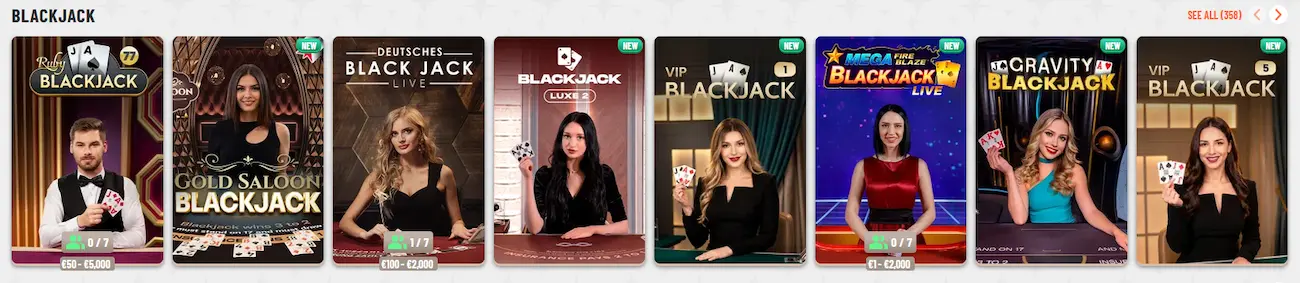
Evolution Gaming’s live dealer tables stream in HD directly to your mobile browser. Crazy Time, Monopoly Live, and Lightning Roulette all display the multiplier animations and bonus round transitions clearly even on a five-inch screen. Standard live blackjack, roulette, and baccarat tables are available around the clock, with portrait and landscape orientations both supported.

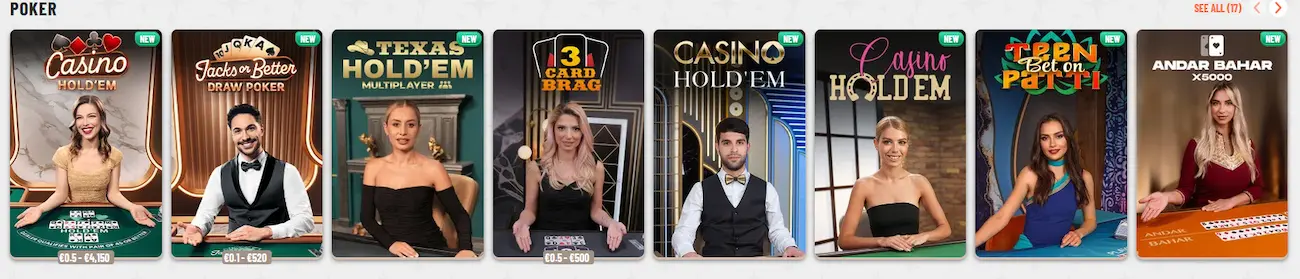
All virtual table games - blackjack, roulette, baccarat, poker, craps, and keno - are available in the mobile lobby. The touch interface adapts chip placement, card dealing animations, and wheel spins to smaller screens without reducing the range of available bet sizes.
Progressive jackpot titles from Microgaming and Pragmatic Play display their live jackpot counters in the mobile lobby. The prize pools are shared across desktop and mobile sessions simultaneously, so every spin on your phone contributes to and competes for the same jackpot as desktop players.
Android devices running version 5.0 or higher are supported. Chrome is the recommended browser for Android because it offers the most complete Add to Home Screen implementation, including push notification support and a full-screen launch experience. The Wyns Casino PWA does not require downloading an APK file or enabling installation from unknown sources.
Wyns Casino is accessible on iPhone and iPad through Safari. Apple requires Safari specifically for Add to Home Screen, as other browsers on iOS do not expose this function. Once the shortcut is created, the casino opens in full-screen mode on every launch. Current iOS versions are fully supported; no minimum iOS version has been published by Wyns Casino.
| Platform | OS Requirement | Recommended Browser | Installation Method |
|---|---|---|---|
| Android | 5.0 or higher | Chrome | Add to Home Screen via browser menu |
| iOS | Current versions supported | Safari | Add to Home Screen via Share button |
A stable internet connection (Wi-Fi or 4G and above) is recommended for live dealer streaming and in-play sports betting.
Open Chrome on your Android device and navigate to wynscasino24.com. Tap the three-dot menu in the top-right corner of Chrome and select Install App or Add to Home Screen, depending on your version of Chrome. Confirm the name and tap Add. The Wyns Casino icon appears in your app drawer and on your home screen, launching the casino in full-screen mode with a single tap.
Open Safari and go to wynscasino24.com. Tap the Share icon, which looks like a square with an arrow pointing upward, located in the bottom toolbar on iPhone or the top toolbar on iPad. Scroll down in the share sheet and tap Add to Home Screen. The default name is Wyns Casino; tap Add in the top-right corner to confirm. The icon appears on your home screen and opens the casino in full-screen Safari mode when tapped.
For players who prefer not to add the home screen icon, wynscasino24.com works fully as a standard browser bookmark. Simply open your mobile browser, navigate to the address, and sign in. All features including the sportsbook, live casino, and mobile cashier are available without the home screen shortcut. This is the simplest option for Android users on browsers other than Chrome and for iOS users on browsers other than Safari.
All data transmitted between your mobile device and the Wyns Casino servers is protected by 256-bit SSL encryption, the same standard used by financial institutions. This applies to login credentials, payment details, and documents submitted for KYC verification.
Two-factor authentication is available through your account security settings. When enabled, signing in from a new device sends a verification code to your registered email address. Entering the code is required before the session opens, preventing access even if your password is compromised.
Biometric login (fingerprint or face recognition) depends on whether your browser and operating system support credential autofill with biometric unlock. On supported Android devices using Chrome and on iOS using Safari with Face ID or Touch ID, the browser’s built-in password manager can use biometric confirmation in place of typing the password manually.
You can register directly from your mobile browser at wynscasino24.com. The sign-up form requests your email address, a password, your preferred currency (CAD), and date of birth confirmation. Registration takes under three minutes. After confirming your email, your account is active and ready for a first deposit.
Sign in from mobile using the same email and password as on desktop. If 2FA is enabled, you will be prompted for the verification code after entering your credentials. The Wyns Casino mobile session persists until you manually sign out, so returning players can access their account with a single tap on the home screen shortcut.
The full cashier is available through the mobile browser. Canadian players can deposit via Interac, Visa, Mastercard, Paysafecard, Neosurf, MiFinity, and cryptocurrencies including Bitcoin, Ethereum, Litecoin, and USDT. The minimum deposit is $10.
| Method | Deposit Speed | Withdrawal Speed |
|---|---|---|
| Interac | Instant | Up to 24 hours |
| Visa / Mastercard | Instant | 1-5 business days |
| Bitcoin / Ethereum / USDT | Instant | Under 24 hours |
| Bank Transfer | 1-3 business days | 2-5 business days |
KYC verification must be completed before the first withdrawal is processed. Submitting your driver’s licence or passport, a proof of address (utility bill or bank statement), and payment method confirmation on mobile follows the same upload process as on desktop.
Interac transactions are processed through your existing Canadian bank account and are subject to your bank’s own security protocols in addition to Wyns Casino’s 256-bit SSL layer. Cryptocurrency withdrawals apply a same-method policy wherever possible, returning funds to the wallet used for the deposit.
The 100% match bonus up to $750 plus 200 free spins on Book of Dead (Play’n GO) applies equally when registering and depositing through the mobile browser. There is no separate mobile registration process and no reduced bonus for mobile sign-ups. Wagering 35x on bonus funds and 40x on free spin winnings applies, with a 30-day completion window. Maximum bet per spin while the bonus is active is $5. Age restriction: 19+ (18+ in Alberta, Manitoba and Quebec). Full conditions are on the Wyns Casino bonus page.
Live chat is accessible from the main menu in the mobile browser at any hour of the day. Tapping the chat icon opens a conversation with a support agent in under two minutes on average. Email support is available at [email protected] for less urgent matters such as document queries or bonus clarifications. The support team covers all Canadian time zones around the clock.
Deposit limits, loss limits, session time reminders, cooling-off periods, and self-exclusion are all accessible through your mobile account settings. If you need support with gambling-related concerns, contact the Wyns Casino team at [email protected] and they will direct you to appropriate Canadian resources.
Mobile Questions Answered
No. Wyns Casino does not have a native app listed in either store. The platform operates as a Progressive Web App (PWA) accessible through any mobile browser, so there is no store download required.
Android 5.0 or higher is the minimum requirement. Most devices running Chrome on Android 5.0 and above will run the Wyns Casino PWA without issue.
Yes. The welcome bonus of 100% up to $750 plus 200 free spins is available regardless of the device you use to register and deposit. 19+ (18+ in Alberta, Manitoba and Quebec). Terms apply.
Start Playing Wyns Casino on Mobile Today
Grab 100% up to $750 and 200 free spins.
Enter Casino Play responsibly - gambling involves risk of dependency. Must meet the legal age in your province. Bonus terms and conditions apply.